📖 InkSlate User Guide
InkSlate is a personality analyser.
It looks at an image of your handwriting and creates a personality profile for fun. It is meant for self-reflection and curiosity, not diagnosis.
What you need
- A computer with Python 3.9 or later.
- A clear photo of your handwriting.
- A Gemini API key from Google. Get your free key from https://aistudio.google.com/app/apikey. (See helper video].)
Steps
- Create a handwriting sample. Write 3 or 4 sentences on paper. Then, take a clear photo of the writing, and save it on your computer.
- Make the
inkslate.pyscript ready for use.- Assuming that Python is installed on your computer, open the command prompt and type
pip install google-generativeai pillow. Wait for the Python libraries to be downloaded and installed. - Download the
inkslate.pyfile from the GitHub repository. Openthe file in any text editor and find this line near the top:GEMINI_API_KEY = "<your_Google_AI_API_key_goes_here>". Paste your API key between the quotes. Save the file.
- Assuming that Python is installed on your computer, open the command prompt and type
- Run InkSlate by returning to the command prompt and typing the following command:
python inkslate.py. When prompted, enter the full path to the image file you created in a previous step. It might take a while for the analysis to be done, after which the result is displayed on the terminal. A time-stamped result file (in.jsonformat) is saved in the same folder as the image file.
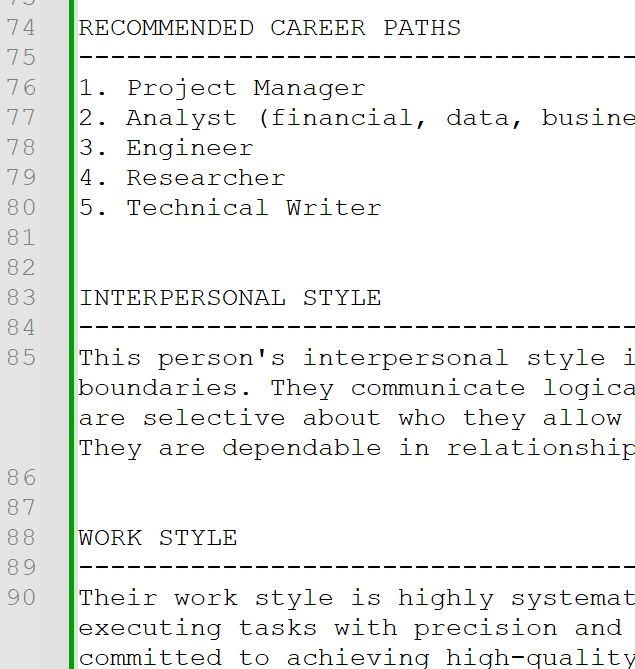
The result can contain phrases such as these:
- Emotional stability
- Confidence level
- Stress level
- Strengths
- Weaknesses
Treat these as conversation starters with yourself, not hard facts. After all, InkSlate is a fun tool, not a medical doctor.
Have fun!
What next
You can repeat this process weekly, monthly, or as frequently as you want to, by supplying a handwriting sample of that day. You’re limited only by the free limits of your API key. Every time, a time-stamped file is created with the results.
Changes in handwriting can sometimes reflect changes in fine motor control, fatigue, or stress levels. When you’re writing by hand, several pieces of your body interact with each other: your brain, nervous system, muscles, vision, and posture. Changes in any of these systems can alter the slant, pressure, spacing, or consistency in your writing. Besides, your writing is also affected by medication or injury. A single analysis means very little, but consistent changes across many samples over weeks or months could be worth paying attention to. If you notice strong or persistent handwriting changes, together with the following real-world symptoms, it might make sense to seek professional medical help:
- Frequent hand tremors
- Loss of coordination
- Numbness or weakness
- Unexplained fatigue
Remember: You are the expert on your own body. InkSlate can only highlight some patterns, and that too with artificial Gemini intelligence (and we all know what kind of a trickster Gemini’s owner, Mercury, is in real mythology). It is you who knows best when something feels different enough to investigate further.
To compare two pieces of writing programmatically:
- Open
inkslate.pyin any text editor and uncomment the following line:create_comparison_report("analysis1_personality.json", "analysis2_personality.json"). - Replace the two file names with that of the two reports that you want to compare.
- Run
inkslate.py. It displays the key changes.
Disclaimer
This program is for entertainment only. It does not diagnose any personality or health conditions.
Video
How to get a GoogleAI API key
- Go to https://aistudio.google.com/app/apikey.
- Click Create API key.
- Specify a name that’s easy for you to remember the key by.
- Click the Choose an imported project field, and click Create project.
- Give a name to your project and click Create project. Then, click Create key. Your key is displayed along with other information.
- Click the Copy icon near the right end of the row, and save the key someplace safe on your laptop.